Data Explorer overview
Categories:
Purpose: This document provides a high-level understanding of Data Explorer and its functionality.
Introduction
Data Explorer is a purpose-built, interactive, web-based application that lets researchers generate insights from data via a point-and-click surface. This allows experts who may have little or no coding knowledge to collaborate more easily with those who specialize in informatics and data science.
Data Explorer is designed to be easily configurable for various data schemes and modalities. This allows for rapid deployment in a matter of days, regardless of the data source.
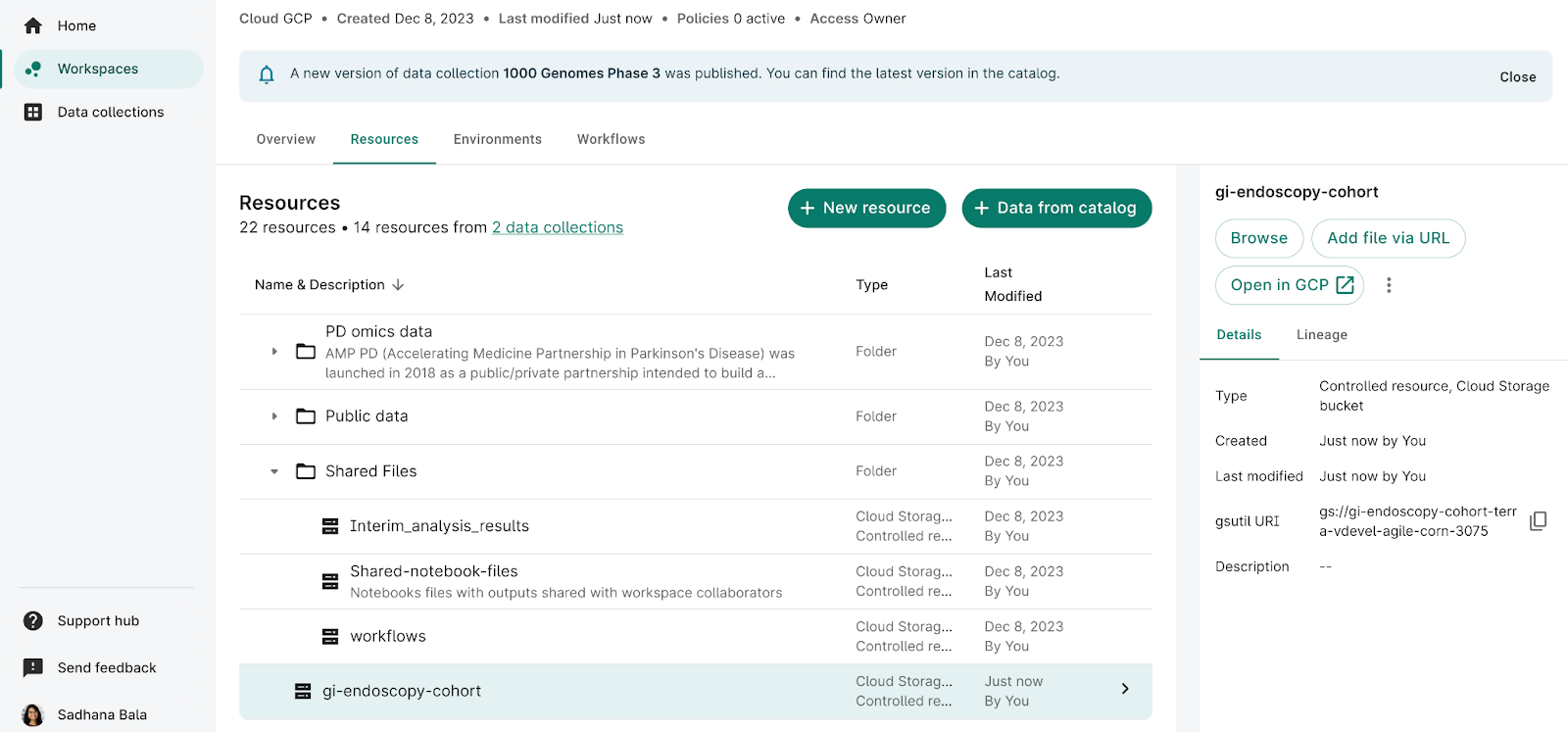
Data Explorer is fully integrated with Workbench. You can start working with it by creating a cohort in the Resources tab of your workspace. For a step-by-step guide to creating a cohort, see Get started with Data Explorer.
Key features
Through an interactive web interface, researchers can use Data Explorer to:
- Visually browse data
- Build a custom cohort
- Review participants
- Easily export data
- Perform deeper analyses in a Workbench workspace
Visually browse data
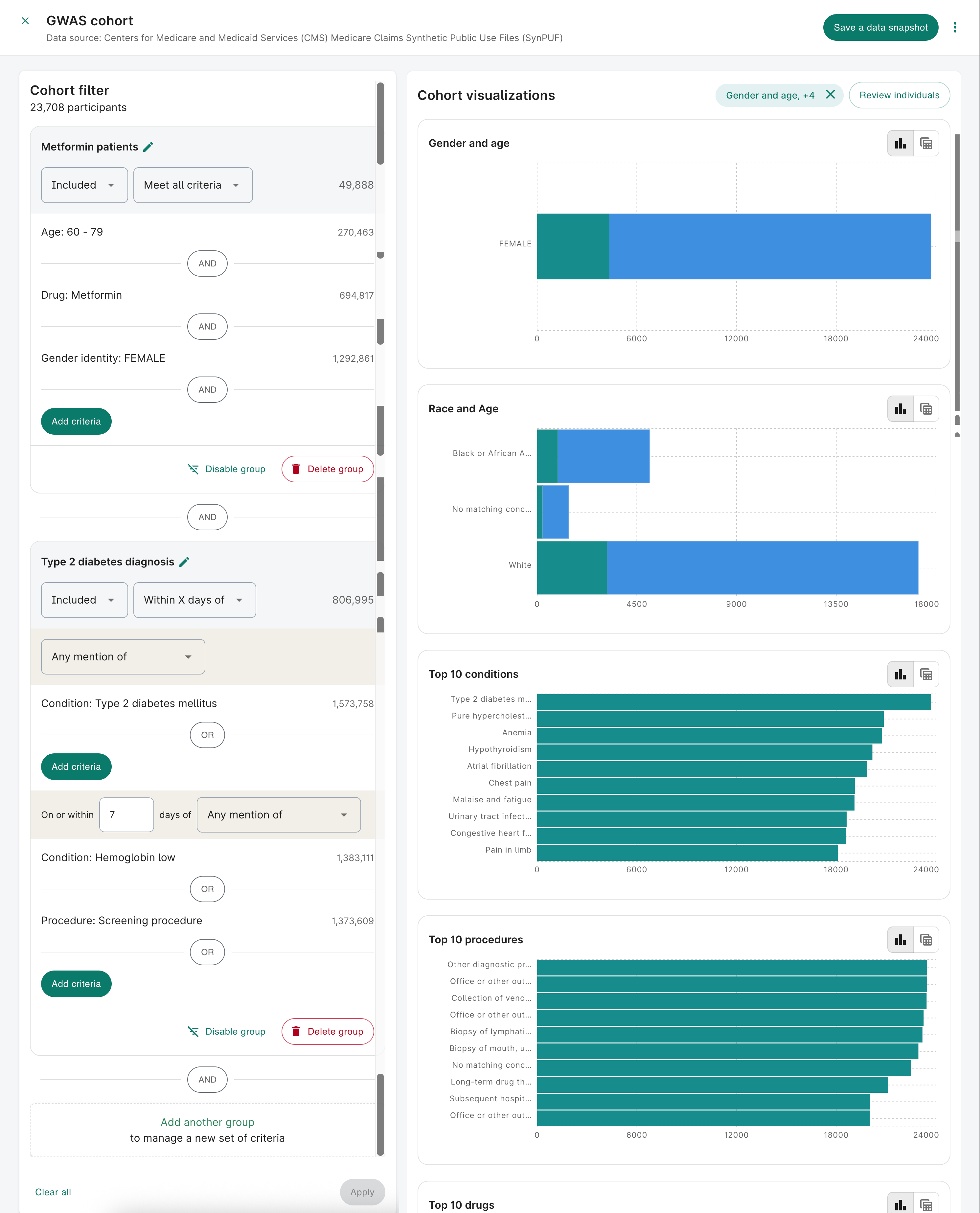
You can easily see visual representations of their datasets, as well as breakdowns of cohorts arranged by various criteria. Graphs will give real-time feedback as you add criteria to narrow the cohort.
Build a custom cohort
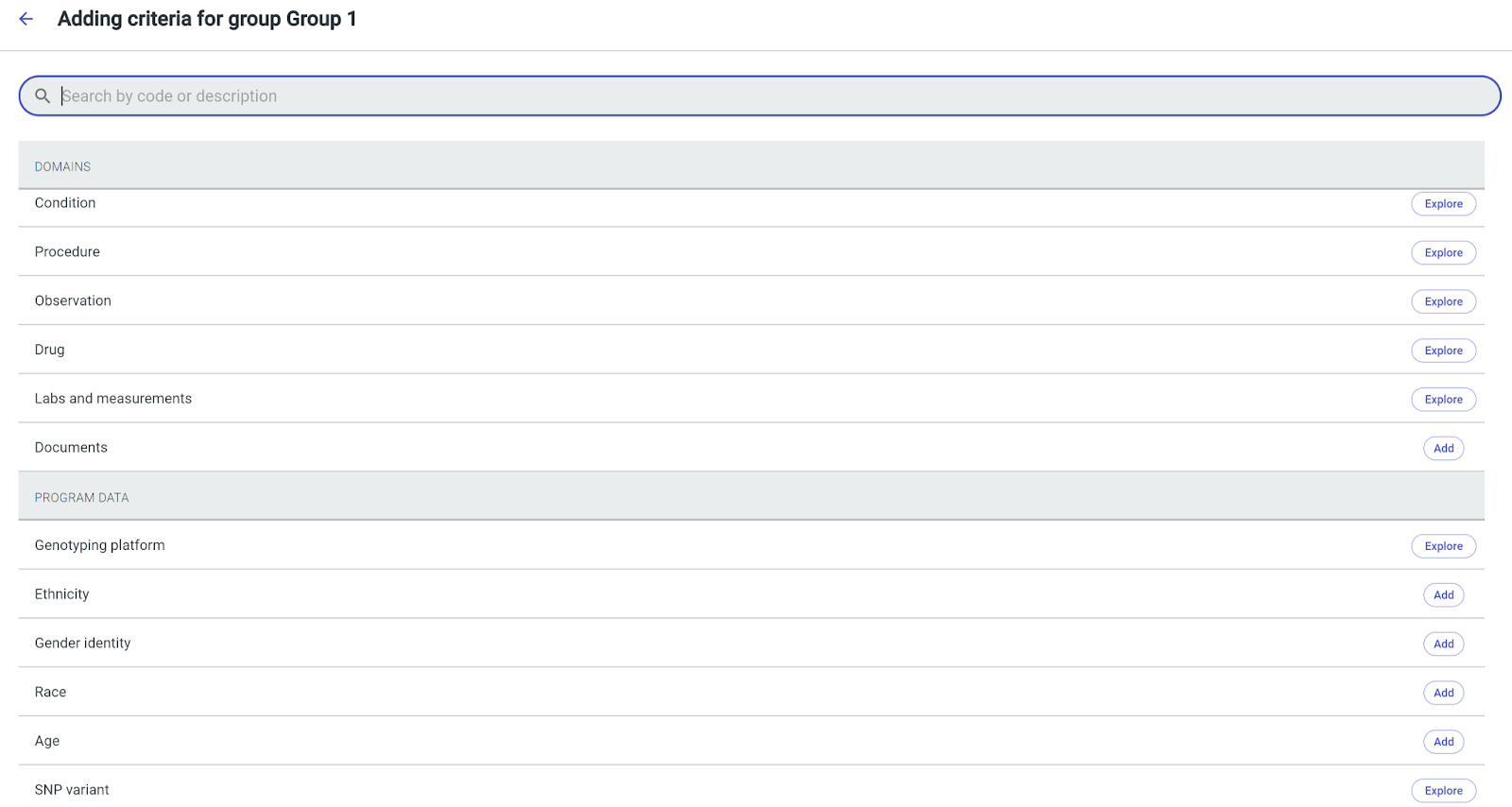
You can identify a specific cohort by selecting various filters to narrow its definition. For example, you can filter on data domains supported by the OMOP Common Data Model.

You can also see the visualizations of the cohort given the selected filter criteria.
Review participants
Data Explorer allows you to view data on an individual participant level. You can annotate notes about each participant, as well as view conditions, procedures, observations, drugs, labs and measurements, and documents.

Easily export data
You can use your cohort to create data snapshots and notebooks to export directly to your Workbench workspace. You'll also be able to view the SQL queries needed to generate the data snapshot. These queries are available in Python and R, and they run in notebooks in your Workbench cloud app.

Perform deeper analyses in a workspace
With your cohort saved in your Workbench workspace, you can work with it like any other Workbench resource.
Technical architecture
Data Explorer is designed to be deployed for specific data collections and accessible to authorized users.
Data storage & schema
Data Explorer supports source data stored in BigQuery.
The vision of Data Explorer is to be flexible across data models and database management systems. With proper configuration, Data Explorer can also support OMOP-like extensions, fully custom add-ons (e.g., SNP variant, document keyword search), and other databases, such as PostgreSQL.
Data Explorer also deepens its capabilities in genomic data browsing, such as the ability to build cohorts based on specific genetic variants.
Authorization
Data Explorer can read source data in a cloud project and prepare index data (also stored in a cloud project) for more efficient querying. You can place access controls on users who can access Data Explorer. These controls can be identical to those placed on Workbench data collections.
Deployment
Data Explorer is deployed alongside Workbench and managed by Verily. The deployment is multi-tenant, so it can host multiple datasets that are each access-controlled.
Last Modified: 5 September 2025