Workspaces overview
Categories:
Purpose: This document provides a high-level understanding of workspaces in Verily Workbench.
What are workspaces and what capabilities do they provide?
Workspaces are where researchers and teams connect, collaborate, and organize all the elements of their research, including data, documentation, code, and analysis. Workspaces are also a way for data and tool providers to deliver data and tools to researchers, along with helpful resources such as documentation, code, and examples.
Workbench UI vs. command-line interface (CLI)
The Workbench UI provides point-and-click access to workspace contents and operations. It presents workspace contents and related actions through four separate panes, named Overview, Resources, Apps, and Workflows.
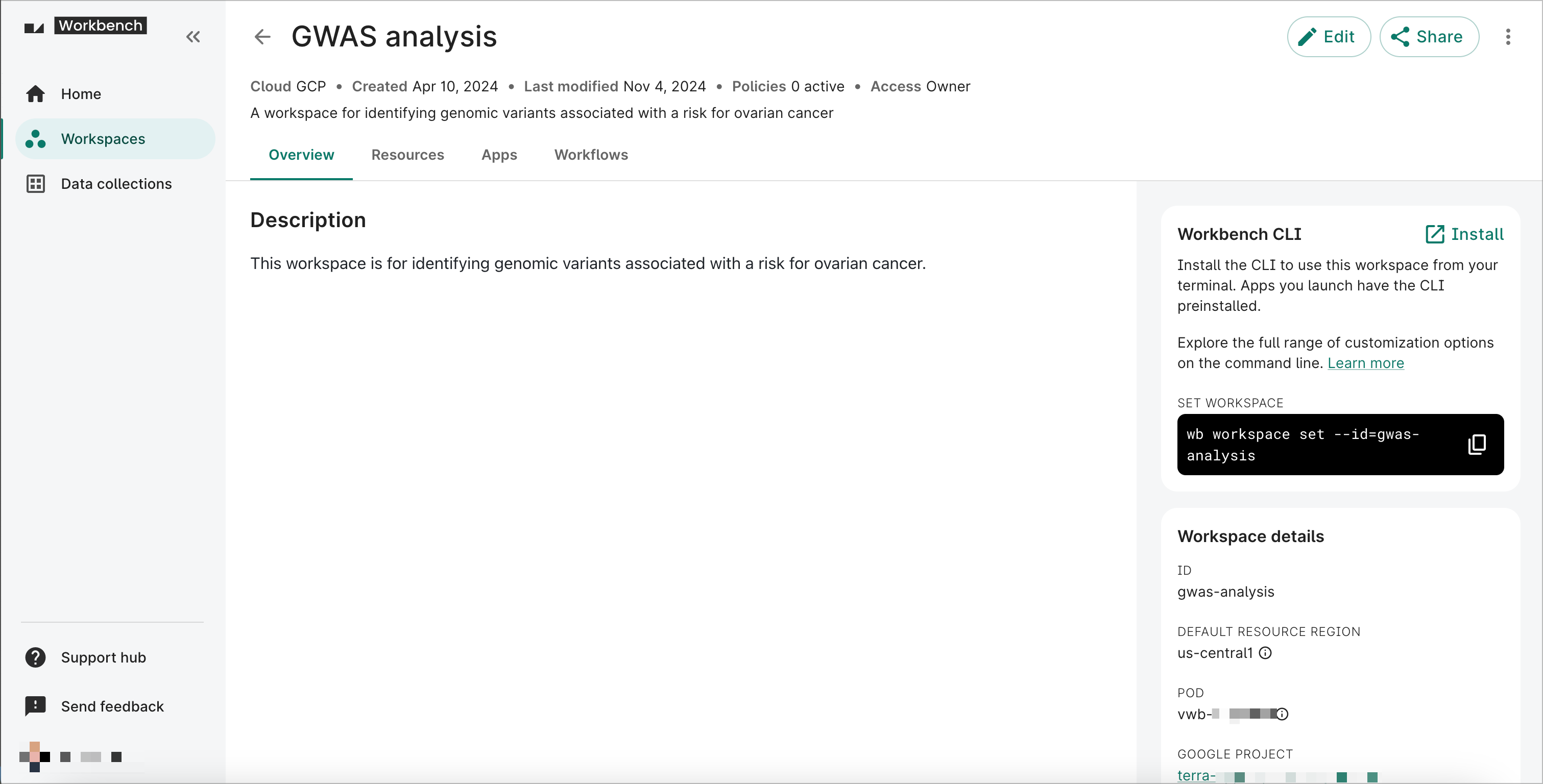
The Overview pane contains an editable description of the workspace, as well as workspace details and information to install the Workbench CLI to use the workspace from your terminal.
The Resources and Apps panes provide access to data resources and computational apps, respectively, with which you can perform analysis work in Workbench.
- For more information about Resources, see Data resources overview.
- For more information about Apps, see the Cloud apps documentation.
The Workflows pane lets you add, run, and monitor workflows after they have been added to the workspace.
- For more information about Workflows, see the Workflows documentation.
You can also control and manage workspaces and their contents from the Workbench command-line interface (CLI). Any operations you perform using the CLI will be reflected in the Workbench UI, and vice versa.
To learn more about performing workspace operations through the Workbench CLI, see the CLI documentation.
Workspace operations
You can perform a variety of workspace operations in the Workbench UI. For complete instructions, see Workspace operations.
For equivalent CLI instructions, see the
CLI documentation for wb workspace.
Access control and sharing options
Workspaces in Workbench are designed to facilitate secure collaboration. When you share a workspace with a collaborator, you can choose what level of access to grant them (Owner, Writer, or Reader), which corresponds to a specific set of privileges.
In addition, there are certain important considerations around access to workspace resources that come into play when you or your collaborators share or duplicate workspaces. To learn more, see Access control & sharing.
Last Modified: 20 May 2025