Required form policy
Categories:
Purpose: This document explains the required form policy in Verily Workbench.
Introduction
What is a required form policy?
A required form policy is a Verily Workbench policy attached to a data collection. The policy requires completion of a required form when a user imports data from a source where the policy is present.
When do I submit the required form?
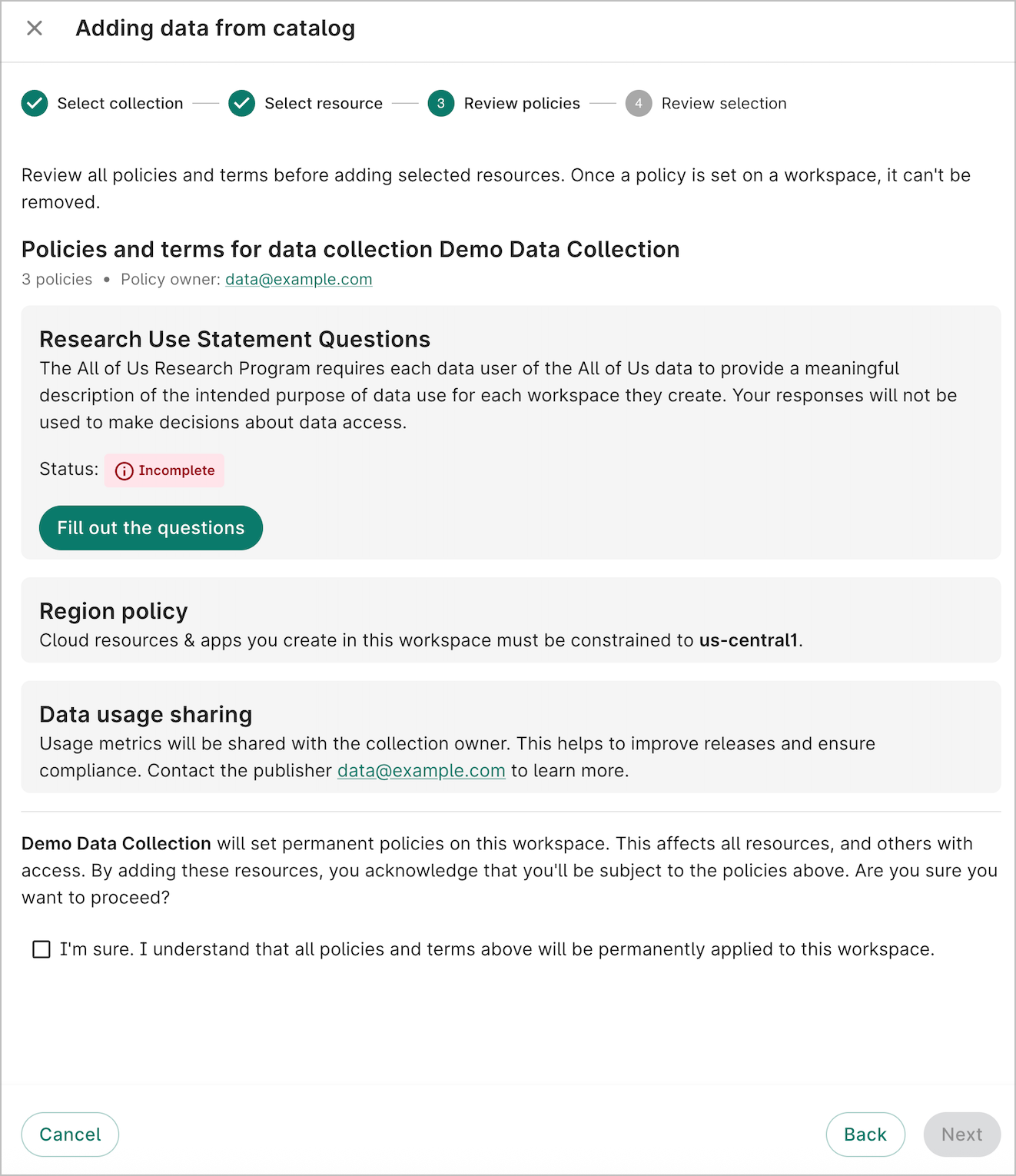
You submit the required form when adding the data collection to a workspace. On the Review policies step, you'll see a card explaining the required form. If you have not yet completed the form, the status will be Incomplete. Click Fill out the questions and complete all required fields in the form. Upon submitting the form, the status will change to Completed and you'll be able to continue the process of adding the data to the workspace.
In some cases, the required form may have already been completed and the status will appear Completed.
Getting started
Apply a required form policy to a data collection
Currently, the required form policy is administered by the Verily Solutions team. To request a new required form policy, please contact our Support team at workbench-support@verily.com.
Update or view required form answers
You can view the completed required form answers at anytime.
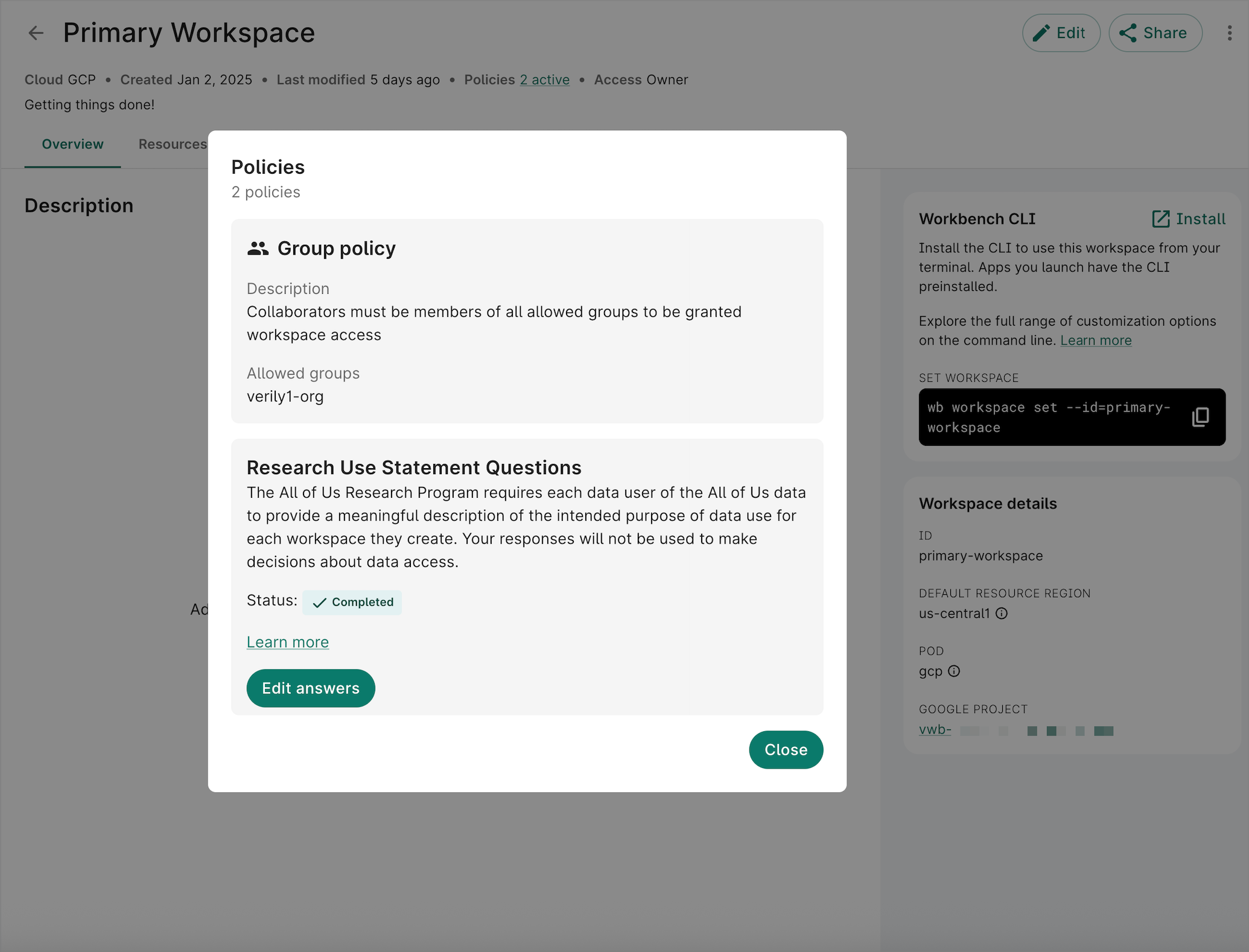
Navigate to the workspace where you added the data collection. In the header, click the link showing active policies. The required form details will appear in a dialog. If you have Writer or Owner access, you can click Edit answers to view and update the form answers. Otherwise, click View statement to view the answers.
View the required form policy on the data collection
Navigate to the data collection. In the header, click the link showing active policies. A dialog will show details of the required form policy.
Types of required forms
A required form policy specifies one or more required forms. The following forms are currently available.
All of Us Research Use Statement
The All of Us Research Program requires each data user of the All of Us data to provide a meaningful description of the intended purpose of data use for each workspace they create. Your responses will not be used to make decisions about data access.
It is recommended you update your answers annually. See Update or view required form answers
Last Modified: 21 July 2025