How to reference and work with Requester Pays buckets
Categories:
Prior reading: Cloud cost management
Purpose: This document provides information about working with Requester Pays buckets in Verily Workbench.
Note: This article is relevant to Workbench users working on Google Cloud-backed workspaces.
Introduction
Access to data in Cloud Storage may incur cloud charges. Google Cloud doesn't charge users for
accessing data in Cloud Storage as long as that data stays within its storage region. For example,
moving data from a bucket in us-central1 to a
cloud app in us-central1 is free. However,
charges are incurred for moving data out of the storage region.
When a researcher copies data out of a Cloud Storage region, including downloading the data, the bucket owner is charged for all data transfer costs associated with the bucket. However, buckets can be configured to be a Requester Pays bucket. Requester Pays lets you control Cloud Storage billing by shifting access costs to the users who request your data. For more on cloud charges and management, see Cloud cost management.
Add and browse a reference to a Requester Pays bucket
You can add a Requester Pays bucket as a referenced resource via the Workbench web UI or CLI. See Reference a storage bucket for details.
When a Requester Pays bucket is added through the Workbench web UI, a message about costs related to the Requester Pays bucket is shown.
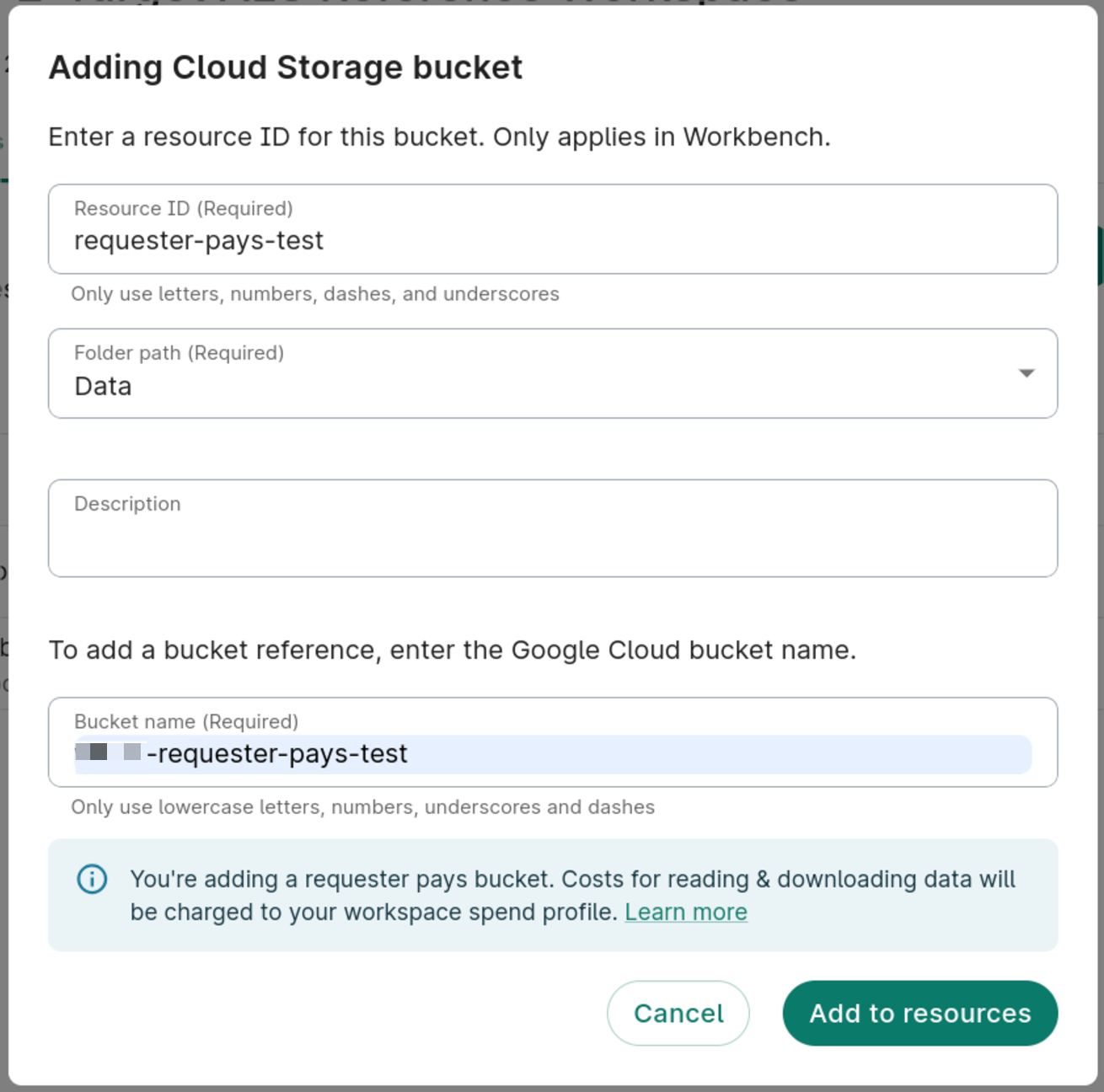
When you browse a Requester Pays bucket, costs for reading and downloading data are billed to the workspace's pod. Learn more about billing in the Cloud Storage documentation for Requester Pays.
Mount a Requester Pays bucket
In an app, buckets mount on each startup. Mounting Requester Pays buckets may incur costs. See more about mounted workspace buckets in Access workspace files and folders from your cloud app.
Access a Requester Pays bucket using gcloud storage
To use gcloud storage to access a Requester Pays bucket, use the --billing-project flag:
gcloud storage ls gs://BUCKET_NAME --billing-project PROJECT_ID
Last Modified: 10 December 2024